RetroAchievements on the GKD Pixel 2
RetroAchievements adds achievements to classic games: beat a boss without a hit, find every secret, finish a level under a time. ZyperOS has it built in on the GKD Pixel 2. You sign in on the handheld, and after a game's first start it works offline too. This guide shows what you need and how it looks.
On this page
These steps cover ZyperOS 1.0.5. Check your version in MENU > About.
What you need
- A free RetroAchievements account, made at retroachievements.org.
- A way online for the sign-in and for each game's first start: a USB Wi-Fi adapter, or an Android phone's USB tethering on the cable. The Pixel 2 has no Wi-Fi of its own; the Wi-Fi guide says which adapters work, and how to use a phone instead.
- A game RetroAchievements knows. It identifies a game by a checksum of the ROM, so a clean dump of a common release is what it has sets for. A hack or a fan translation often has no set.
Sign in
- Plug in the Wi-Fi adapter and join a network in MENU > Connections > Wi-Fi. Or plug in an Android phone, choose Phone and turn on its USB tethering.
- Open MENU > Games > Achievements. The row says
sign in. - Type your user name and password with the on-screen keyboard.
The row then shows your account. The Achievements row only appears while the Wi-Fi adapter is in or a phone's USB tethering is on, since signing in needs the network.
Play
Start a game as usual. The first time a game starts, the handheld needs Wi-Fi to identify it and download its achievements. ZyperOS keeps them on the card, beside the box art, so from then on the game has its achievements with or without Wi-Fi.
Download them all before you go
To skip that first start online, open MENU > Achievements while you have Wi-Fi and press A to download. ZyperOS checks every game on the card with RetroAchievements and keeps each game's achievements, their badges and what your account already earned. The page says how many games are ready offline and how many RetroAchievements has nothing for, like a ROM hack it does not know. Later downloads fetch only what is new or changed. If the Wi-Fi drops, the download waits and goes on by itself.
What you unlock without Wi-Fi pops up at once, as usual, and waits on the card. The next time the handheld is online, on the shelf, the waiting unlocks go to your account by themselves, and Zyper says how many went. Each one is dated when you earned it, not when it was sent, up to 14 days back, the most RetroAchievements takes. If the account already has an achievement, that is no error: ZyperOS counts it as settled.
While some wait, the game's list says how many under its name, and an achievement opened with A says it is earned and not sent yet.
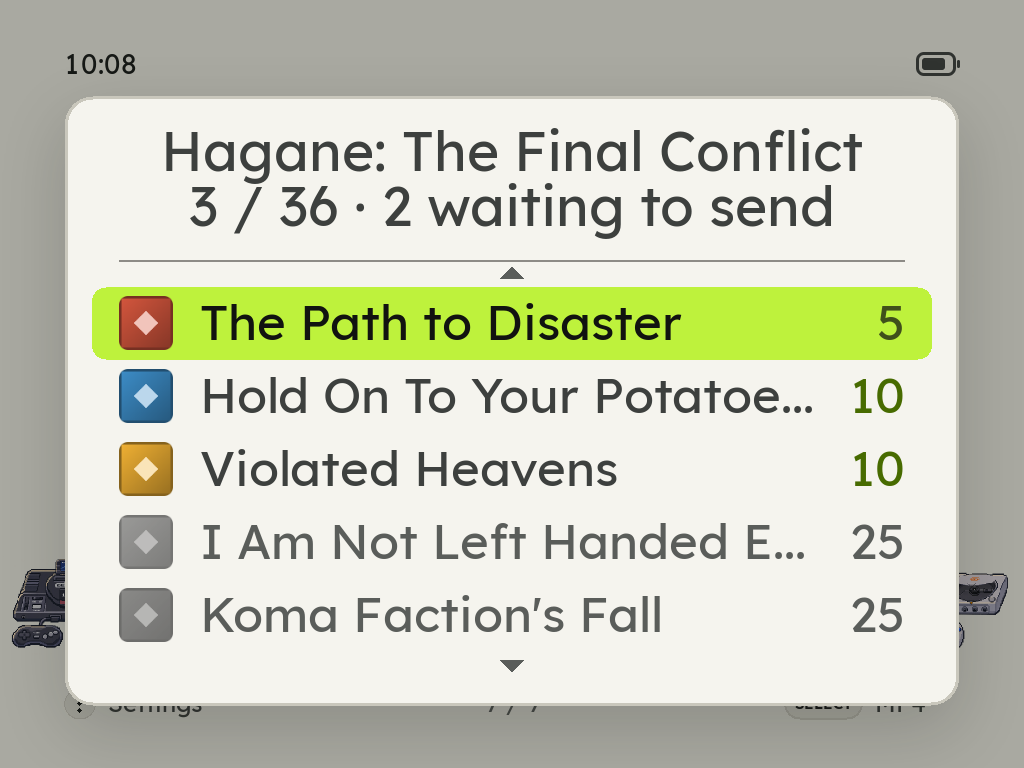
ZyperOS sends unlocks as softcore achievements. It has no hardcore mode.
Badges, pop-ups and the list
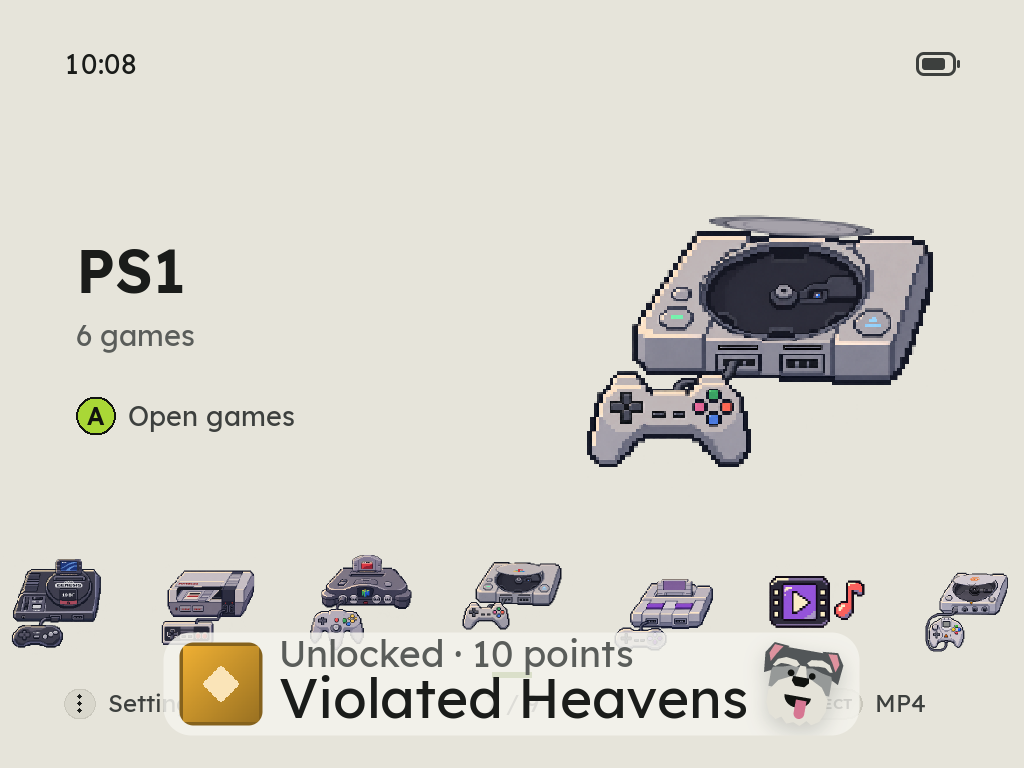
- An unlock shows a notice at the bottom of the screen with the achievement's badge and name, and Zyper at the right. Until the badge is on the card, a trophy stands in for it. The badges are fetched while the handheld is online and no game is running, never during a game.
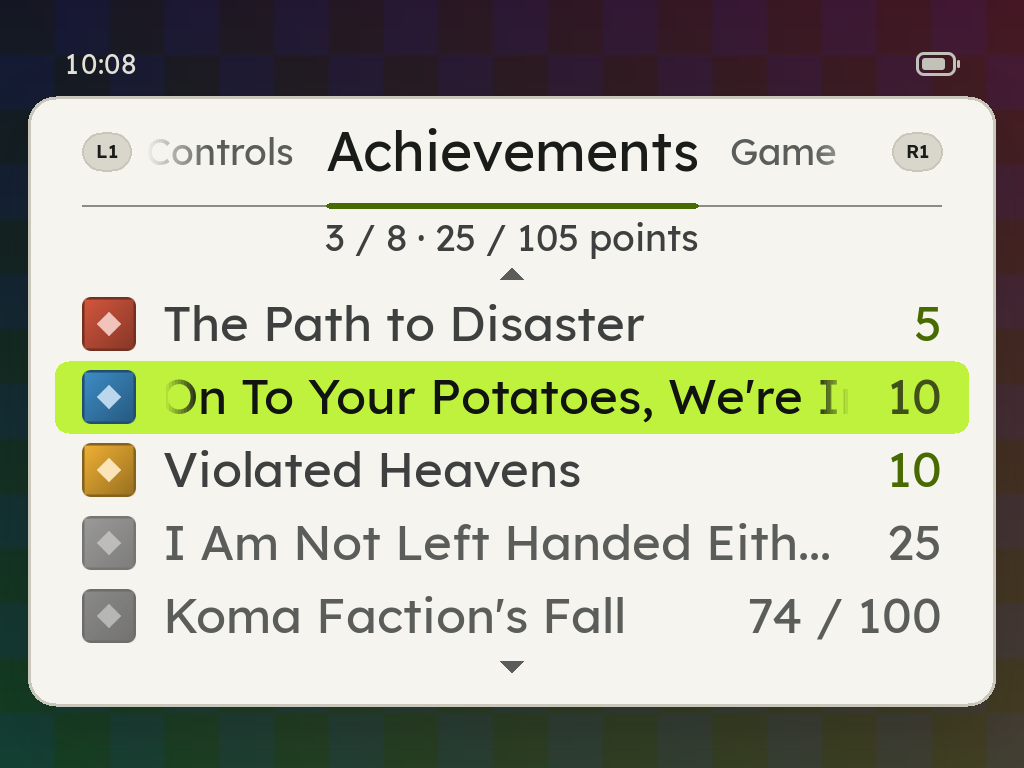
- Progress, for achievements that count something, shows a strip and a count such as 74 / 100.
- The side lights sparkle for an achievement: two pairs of lights take turns. MENU > System > Side Lights turns that off.
- The list, Achievements in the in-game menu, shows every achievement of the game with its badge, grey until you earn it, and the count where one is moving.
On the shelf, each game's card shows its achievement count under the title.
If an achievement does not unlock
- Check the sign-in in MENU > Games > Achievements.
- Check the first start was online. Without it, ZyperOS cannot identify the game, and its Achievements row says
not checked yet. Start it once with the adapter in, or with a phone's USB tethering on. - Check the system and the file. PlayStation supports
.cue/.bin,.chd,.pbpand.m3u. PSP supports.iso,.cso,.chdand.pbp. Other unsupported systems or files shownot for this systemornot for this file. - Check the dump. A ROM with a different checksum is a game RetroAchievements has never seen. A zip is checked on its largest file, which is the one ZyperOS runs.
Sources
- src/rafetch.h and src/rahash.h: softcore unlocks, and how a game is identified.