Custom firmware for GKD Pixel 2

Pick up.
Play on.

A faster home for your favorite games.
Small in your pocket. Ready when you are.

Free and open source.

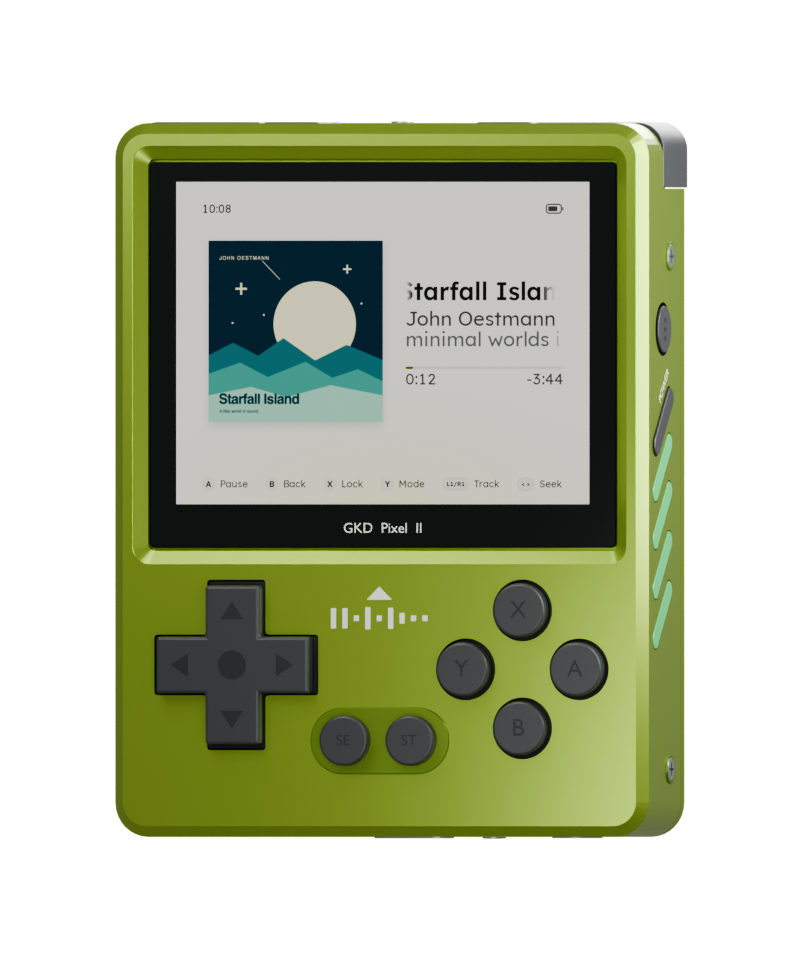
Green GKD Pixel 2 running ZyperOS.
GKD Pixel 2. ZyperOS inside.
2s

From power to play*

45

Systems to explore

2

Players. One handheld.

Yours.

Free and open source

*About two seconds, measured on my Pixel 2.

Feels right.
From the first press.

Your library at the center.
Everything else, one press away.

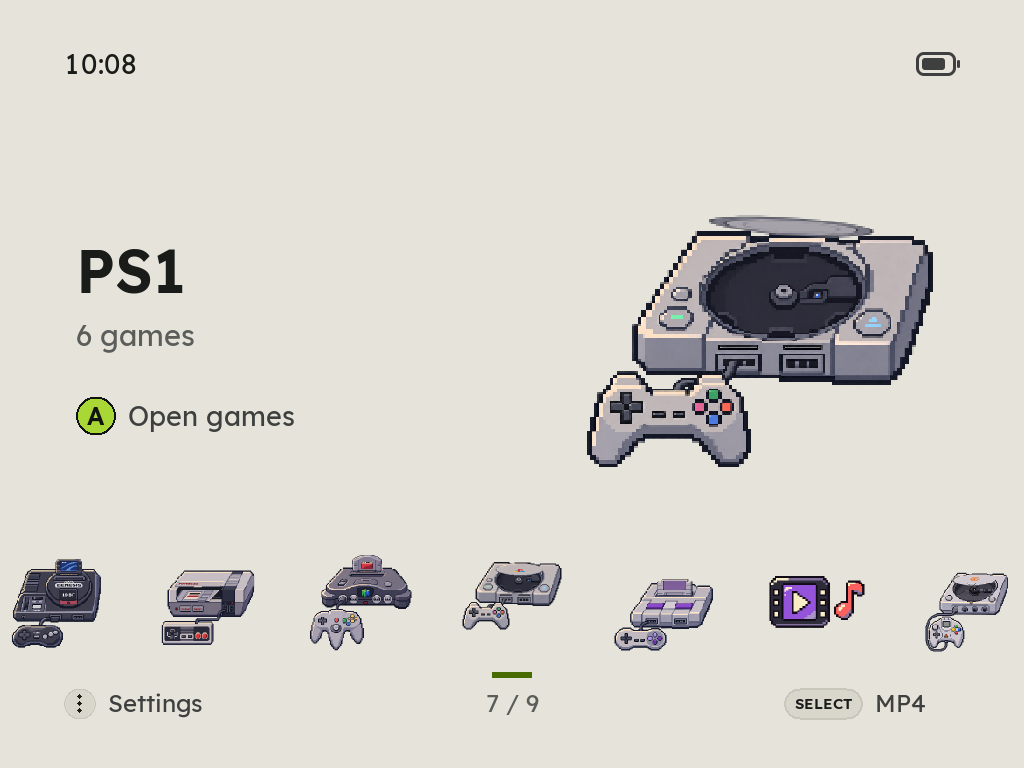
ZyperOS home with the new original PlayStation illustration.

A familiar face. A whole new home.

Original animated art for every system. A cartridge slides in. A handheld comes to life.

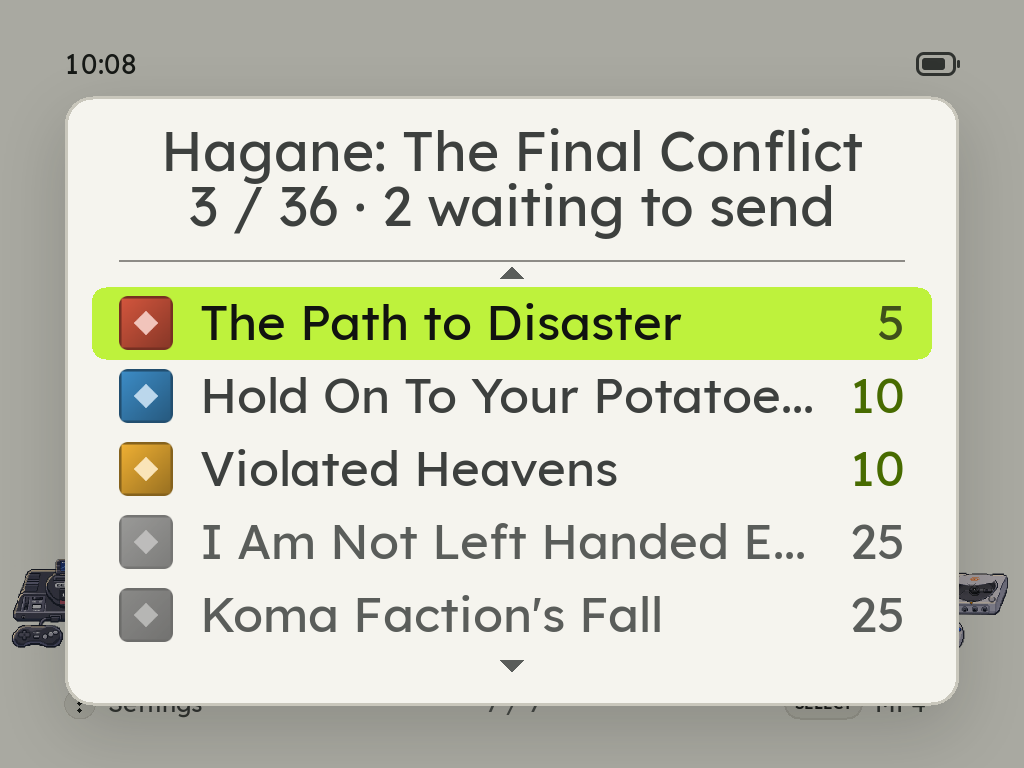
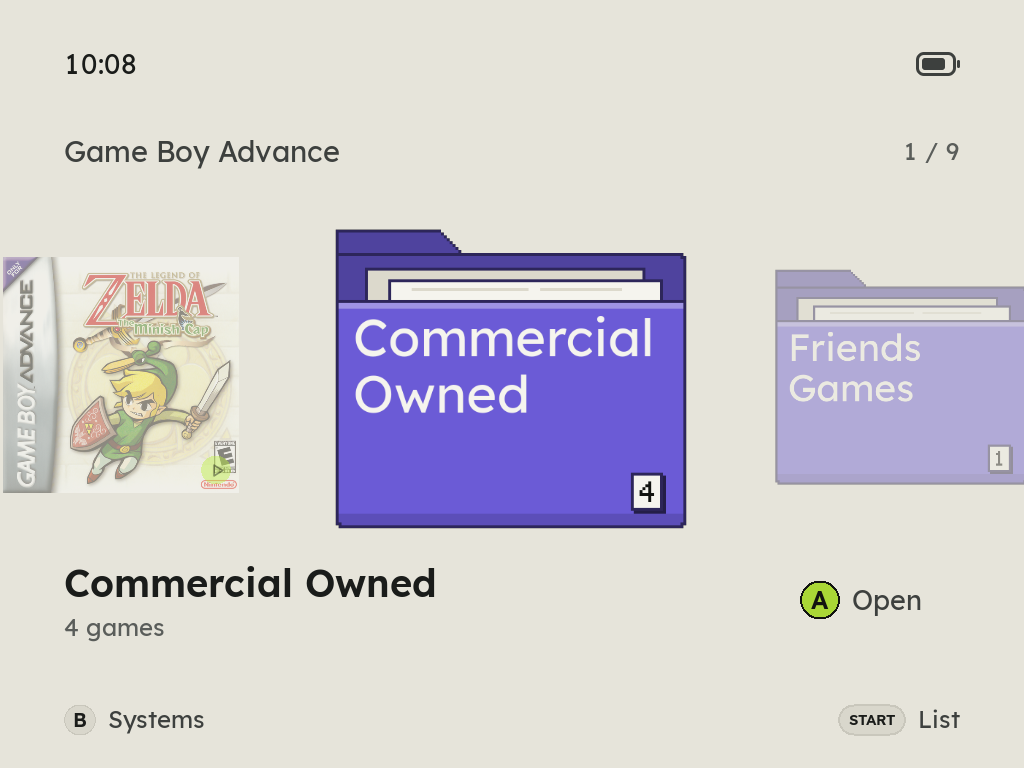
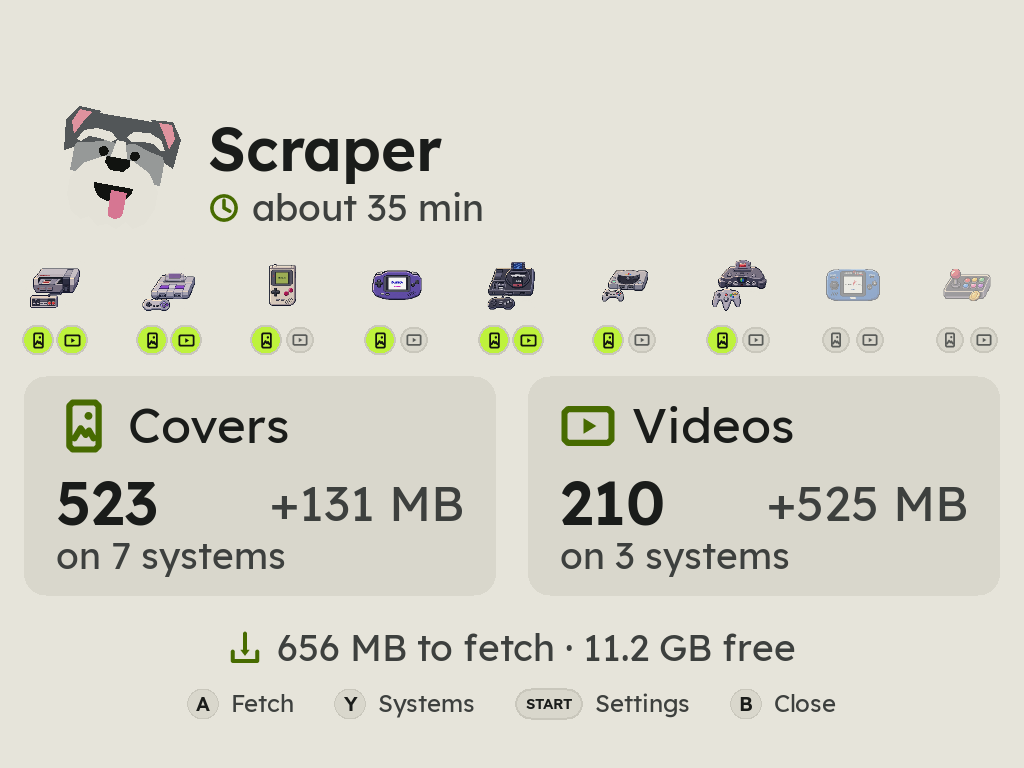
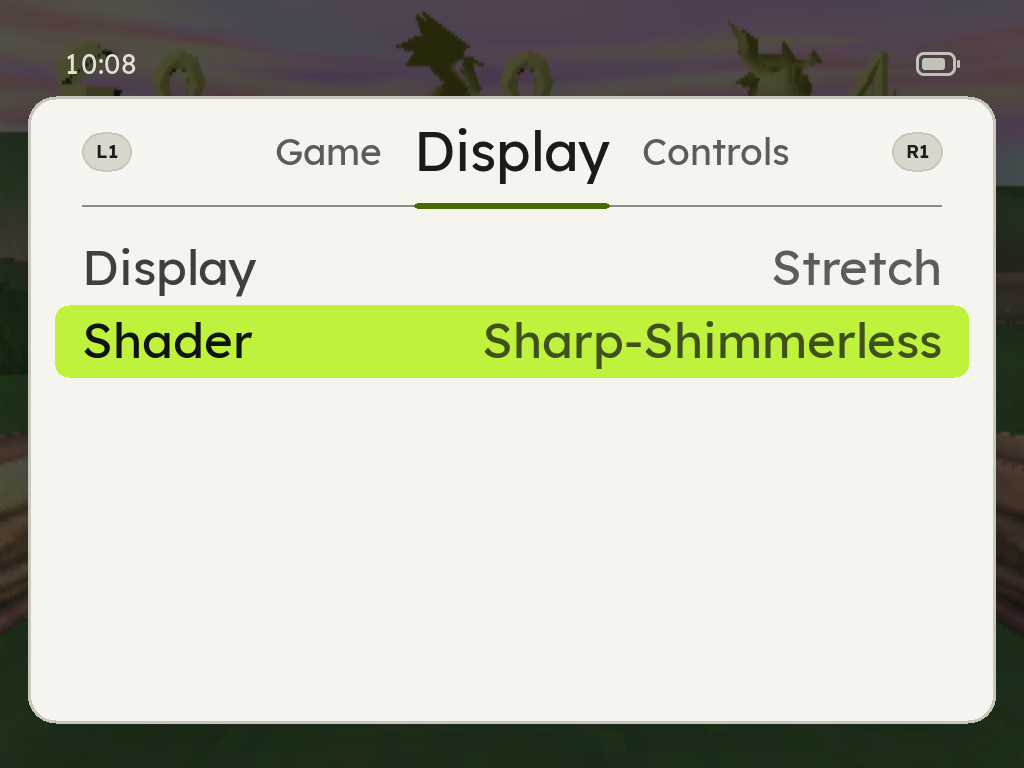
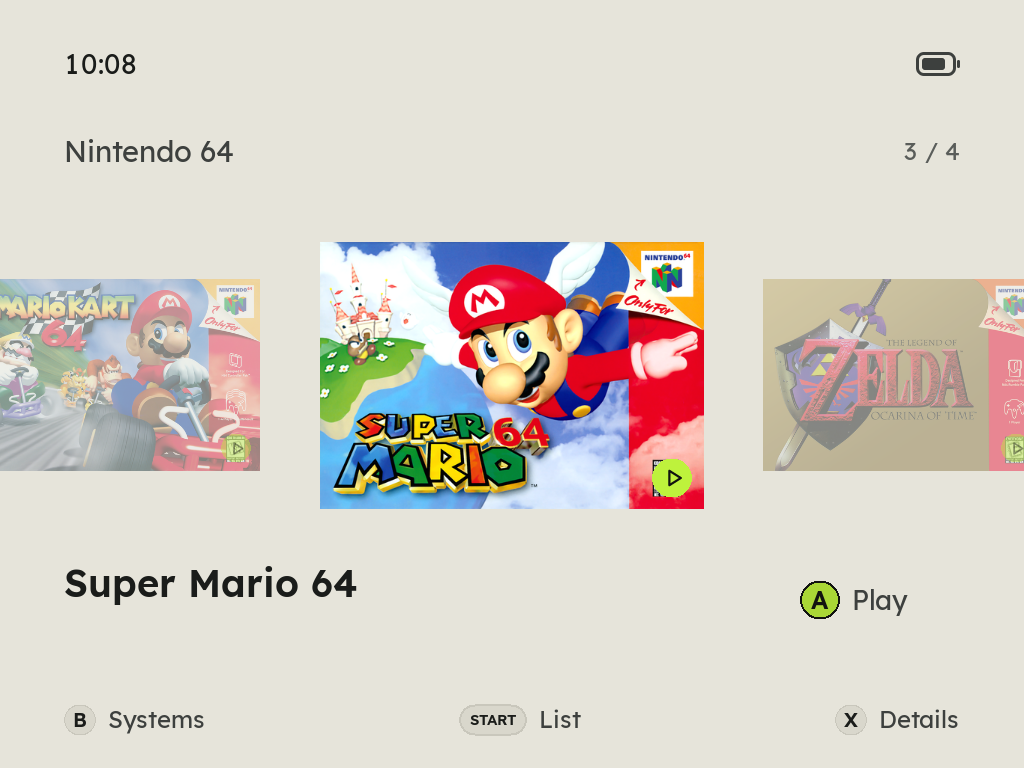
Current launcher captures. Demo library. Games and game artwork are not included.

Old friends.
New moves.

Original pixel art. Made for ZyperOS.
Every system has a little life of its own.

Drag to explore. Select a system to see it move.

Explore all 45 systems
  • Atari 2600
  • Game & Watch
  • ColecoVision
  • Atari 5200
  • Vectrex
  • SG-1000
  • NES
  • MSX2
  • Atari 7800
  • Master System
  • Game Boy
  • Genesis
  • TurboGrafx-16 and CD
  • Atari Lynx
  • Game Gear
  • Neo Geo
  • SNES
  • Sega CD
  • 3DO
  • Doom
  • 32X
  • Saturn
  • Virtual Boy
  • PlayStation
  • Neo Geo CD
  • Nintendo 64
  • Neo Geo Pocket
  • Game Boy Color
  • WonderSwan
  • Neo Geo Pocket Color
  • Dreamcast
  • WonderSwan Color
  • J2ME
  • Game Boy Advance
  • ScummVM
  • Pokémon Mini
  • OpenBOR
  • Nintendo DS
  • PSP
  • PICO-8
  • TIC-80
  • Arcade
  • MAME
  • NAOMI
  • Atomiswave

Plus PortMaster ports. Speed varies by game and system.

One Pixel 2.
Two players.

Your friend brings the second controller.
It is already in their pocket.

Green GKD Pixel 2.

Pixel 2 game screen

Star trailTwo players. One game.
Player 1Plays automatically

Try it together.

You collect the green stars.
Player 1 collects the blue stars.

0 / 8 stars

Enable JavaScript to play the demo.

Player 2Star trail demo
Star trailTwo players. One game.

A Dash B Pause

Player 2You control this one

This original browser game shows the two-controller idea. It does not use NES emulation or connect to a device.

Open. Scan. Play.Open Player 2 from the NES game menu. Your friend scans the code and plays in their browser.

One small adapter.Phone play needs a USB Wi-Fi adapter. A computer can use a USB cable and keyboard.

Set up Player 2

NES. Two players. No app to install.

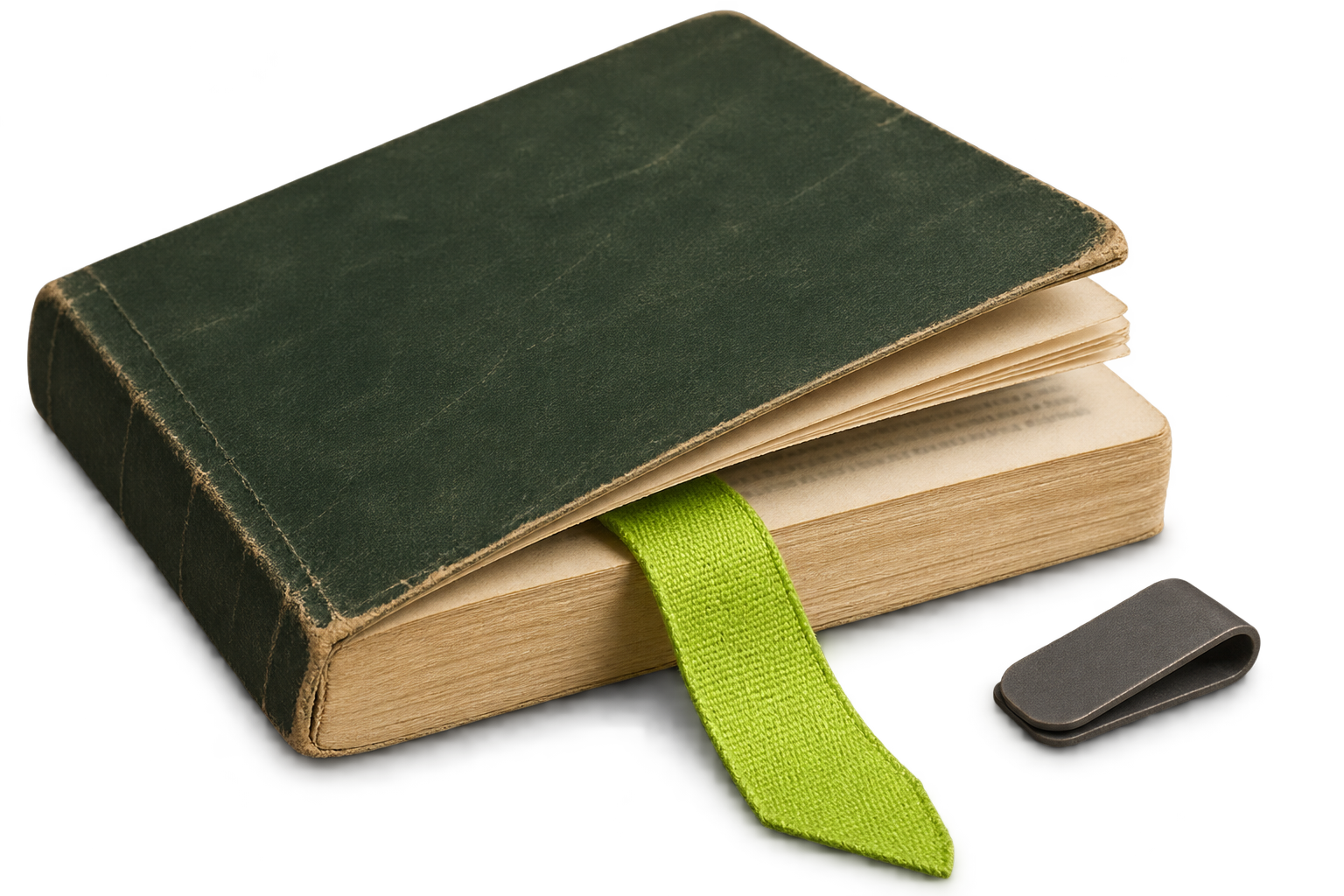
An adventure book with a green ribbon marking the saved page.

Your place.
Saved for later.

ZyperOS saves your place in supported games, then powers off. Turn it on to return in about two seconds.

Real power off~2sBack to your game

No sleep mode. Your place waits on the card.

How saving and resume work

Auto-resume needs save-state support. Ports and OpenBOR use their own saves. Startup time varies by game and system.

Your music.
Back in your pocket.

Your Pixel 2 is a little MP3 and MP4 player, too. Load your albums, plug in headphones, and go.

Albums. Videos. Audiobooks.
Your files, along for the ride.

Meet your new old-school player
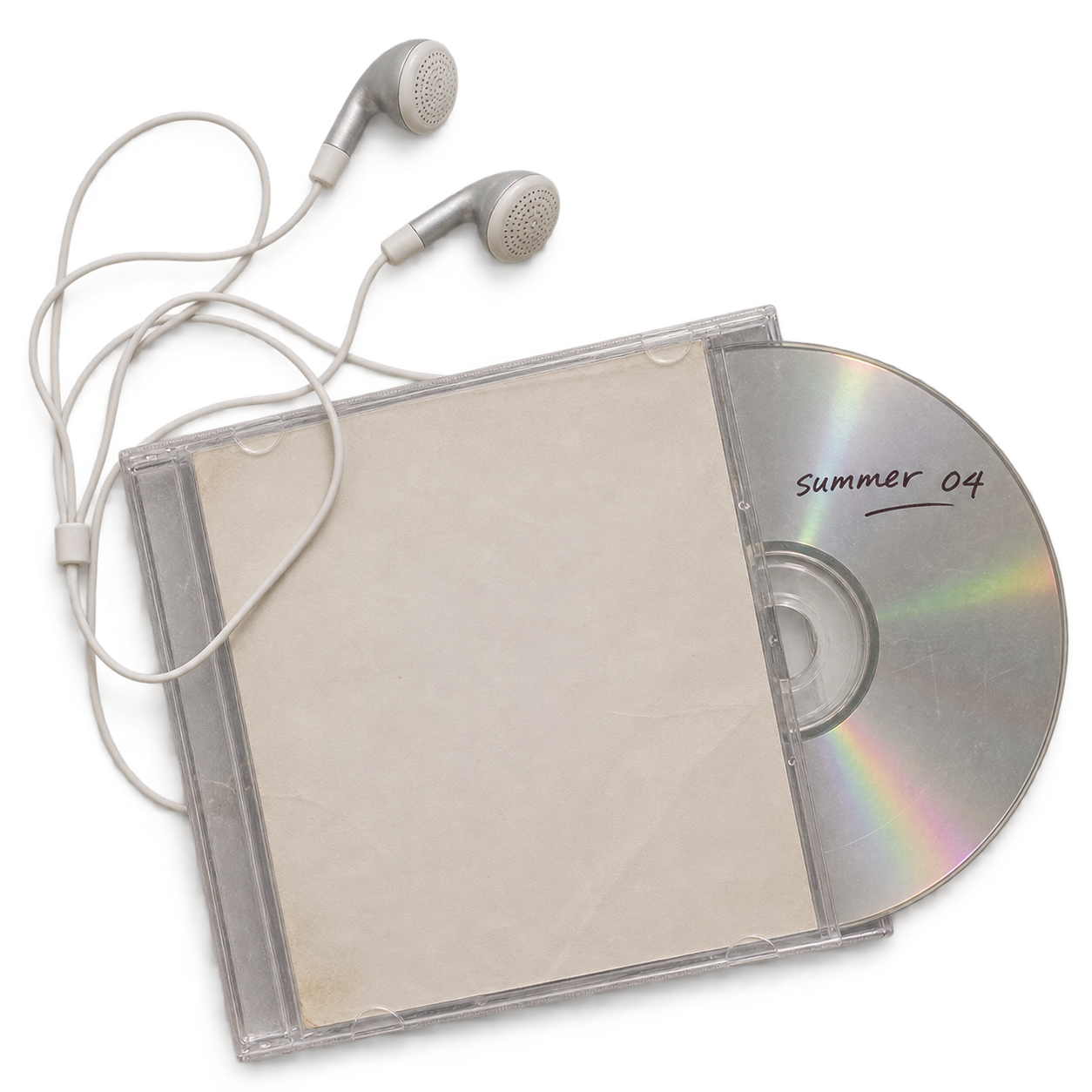
The GKD Pixel 2 as a pocket music player, beside wired earbuds and a handwritten mix CD.
Same pocket. A different soundtrack.

Make a little mixtape.Try the included menu music.

30-second previews. About the music

The tracks come with ZyperOS under CC0. I made these cover illustrations for this preview.

Starfall Island by John Oestmann
Napping on a Cloud by congusbongus
Bossa Nova by Joth

Small console.
Thoughtful details.

From the first hello to the last percent.

See the full guide

A little care goes a long way

Even charging
has its quiet side.

Plug in while the Pixel 2 is off. Zyper rests beside the charge, charging power and time remaining.

Set a charge limit for everyday use. Press Y on the charging screen for a full charge this time.

Take care of your battery
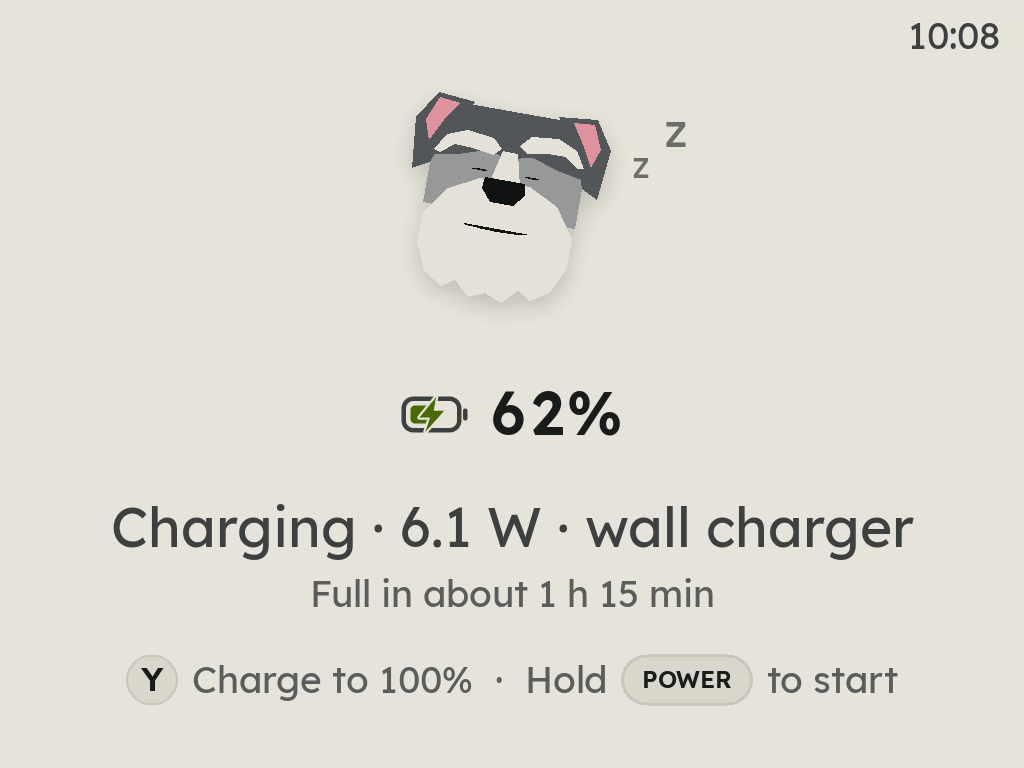
The real ZyperOS charging screen: Zyper asleep above 62%, charging power and time to full.
The charging screen. Hold POWER to start.
Charge limit preview

With an 80% limit, charging stops at 80% and starts again at 78%.

Choose 80%, 85%, 90% or Off on the handheld. A new card starts with the limit off.
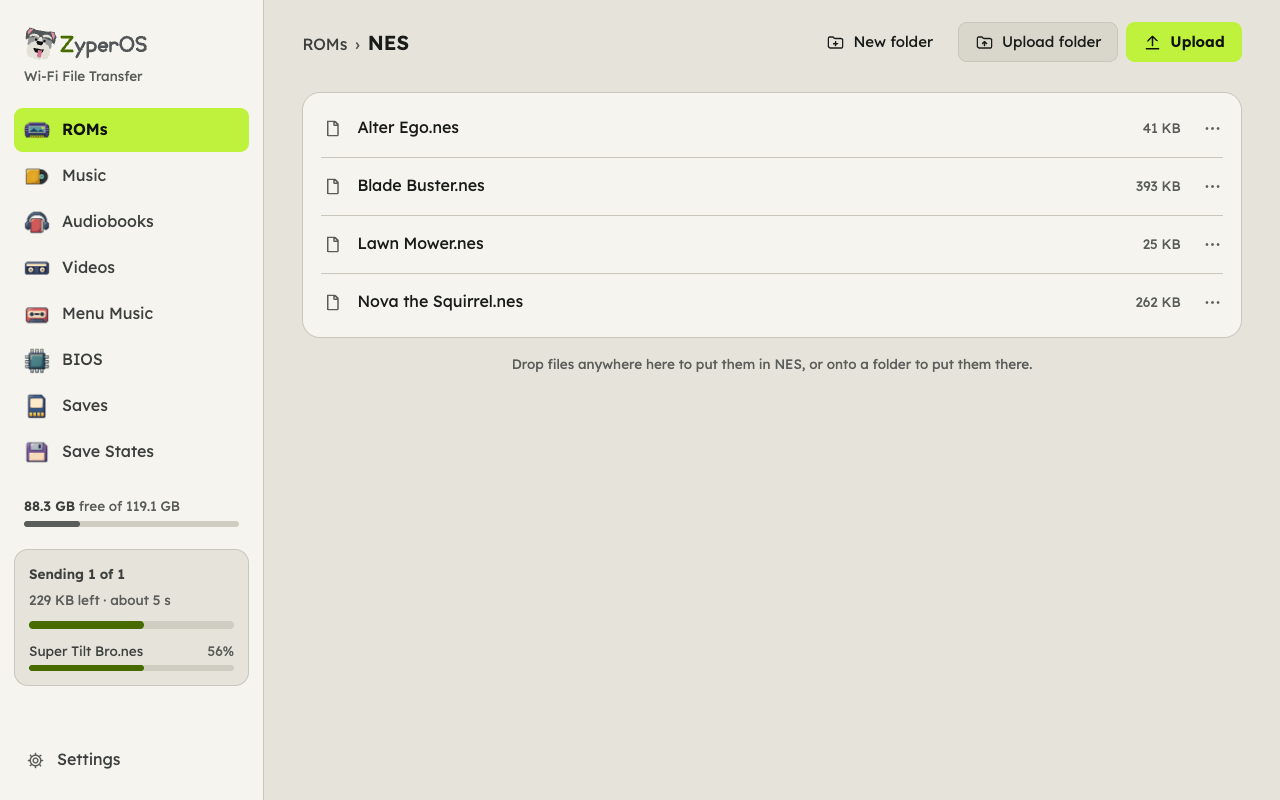
More games. Less card swapping.

Move files from your browser over USB or Wi-Fi. Keep your microSD card where it belongs.

See File Transfer
zyperos.local
ZyperOS File Transfer with the original folder illustrations.

One more reason to play.

Download every game’s achievements in one go, or let each game load its own the first time you play online. Earn them offline, then sync when you reconnect, with the time you earned them.

Badges, progress notices and a little cheer from Zyper come with each milestone. The in-game Achievements tab keeps the list close.

Explore achievements
RetroAchievements badges and two offline unlocks waiting to sync.

There is more in here

Open a chapter.
See it on the device.

Nine parts of a little everyday OS.

Your library, your order.Folders, favorites, search and play time.

Keep the collection you already know.

  • Folders stay yours. Nested folders, cover rows, a grid shaped to your art, or a list. Each system remembers its view and sort order.
  • Find the next game. Search every system, pick a Random Game, keep favorites together, or go back to the ten games you played last in Recents.
  • Only the systems you want. Show or hide each system on the home, and Favorites and Recents. Hidden games stay on the card.
  • Small edits, right here. Rename with the d-pad QWERTY keyboard. Saves and artwork follow. Delete Game asks before it removes files.
  • Your time, counted. See play time by game or system, from today to all time. Sort by name, time, last played or recently added.
Make yourself at home.First start, eight languages and your own look.

A small welcome. A lot of ways to settle in.

  • A guided first start. Meet Zyper, learn the buttons, and choose your language, theme, home, sounds and music. An empty card shows how to add games.
  • Eight languages. English, 简体中文, Español, Português (Brasil), Français, Deutsch, 日本語 and Italiano, across menus, notices and File Transfer.
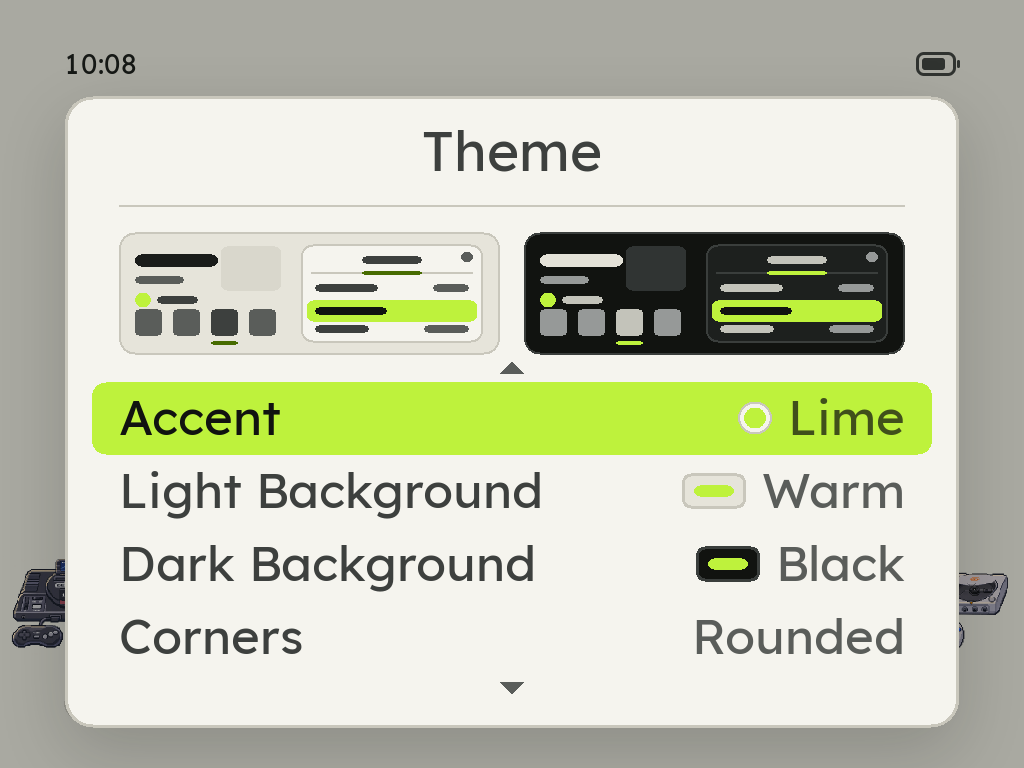
  • Your colors and corners. Ten accents, three light backgrounds, three dark backgrounds, square or rounded corners, and optional Zyper in menus.
  • Day into night. Switch light and dark appearance by the clock. Choose Spotlight, Gallery or Grid, with original animated system art.
  • Everything in place. Six menu tabs remember your place. Sort systems by name or release date. About shares Zyper’s story and project credits.
Give every game a face.Box art, video previews and a playable screensaver.

Let the shelf tell you what is inside.

  • Covers, found on the device. Use libretro, ScreenScraper or SteamGridDB. ScreenScraper needs a supported build and account; SteamGridDB needs your key.
  • See the plan first. Check the time and space estimate. Choose systems, covers and videos before the fetch starts.
  • Pick the picture. Choose covers, 3D boxes, title screens and screenshots. Preview a replacement, keep the previous one, or add your own.
  • A shelf that plays. Video snaps replace covers when you pause on a game. Their sound starts muted.
  • Discover while you wait. The screensaver shows random game videos or covers. START launches the game on screen.
  • Bring your old collection. Keep EmulationStation folders, covers, videos, details and favorites from Knulli, ROCKNIX, ArkOS or ROGUE OS.
Keep the good part going.Save slots, hotkeys, shaders and rumble.

Useful controls stay one press away.

  • Your place, saved. Autosave and resume, plus six compressed state slots. A continues; Y starts fresh. State support depends on the game and emulator.
  • A checkpoint, without the menu. SELECT + R1 quick saves. SELECT + L1 quick loads. Choose a Quick Slot per system. Loaded the wrong one? Undo Load takes you back.
  • Set the pace. Turbo buttons repeat supported controls. SELECT + R2 or L2 changes speed between normal, 1.5×, 2× and 3×.
  • See how it runs. On-Screen Stats shows FPS, speed, temperature, CPU load and clock, battery or the time over the game. Pick the corner, background, color and size.
  • Sharp pixels or an old TV. Choose Sharp-Shimmerless, CRT, CRT Curved, Scanlines or LCD Grid. Adjust the old-screen effects from 10% to full strength.
  • Make the controls yours. Remap buttons, turbo and the d-pad stick in the Controls tab, for one game or a system.
  • Know every button. The Controls tab’s Hotkeys page explains each system. Ports show their own controls. Pixel 2 rumble supports PlayStation, Dreamcast, Game Boy Color and Nintendo 64.
  • A way back home. MENU + START exits a stuck game or port. X quits from the in-game menu. After a crash, restart returns home.
Beyond the usual favorites.45 systems, Nintendo DS and PortMaster.

From the cartridge shelf to something new.

  • Forty-five systems. PlayStation, PSP, Nintendo 64, Dreamcast, Saturn, arcade games, Doom, ColecoVision, SG-1000, TIC-80, PICO-8, ScummVM, OpenBOR and more.
  • Nintendo DS, your way. Choose three screen layouts, move the stylus with the d-pad, and set the game language.
  • A choice of cores. Nintendo 64 offers ParallelN64 and Mupen64Plus-Next. Dreamcast uses flycast2021, with saves, states and resume.
  • The next disc, without a restart. Change discs from the in-game Game tab when a game asks. A multi-disc set stays one game.
  • Ports belong here too. Install official PortMaster from the Ports shelf. MENU pauses a port and shows its controls and setup notes.
  • Keep expectations clear. Performance and save-state support vary by game and system. Some games need BIOS files or files you own.
A cable. A browser. You’re in.File Transfer, phone internet and system updates.

Leave the card in. Bring the rest to it.

  • Files from any browser. Use PIN-protected File Transfer over USB or Wi-Fi. Move games, media, saves and covers, with progress and space checks.
  • Wi-Fi drops don’t cost the file. An upload that loses Wi-Fi waits and goes on from where it stopped. The Wi-Fi log now records the signal too.
  • No router nearby? A USB Wi-Fi adapter lets the Pixel 2 make its own hotspot. Scan its QR code from your phone.
  • Your phone brings the internet. Supported Android USB tethering provides File Transfer, box art, updates and achievements without a Wi-Fi adapter.
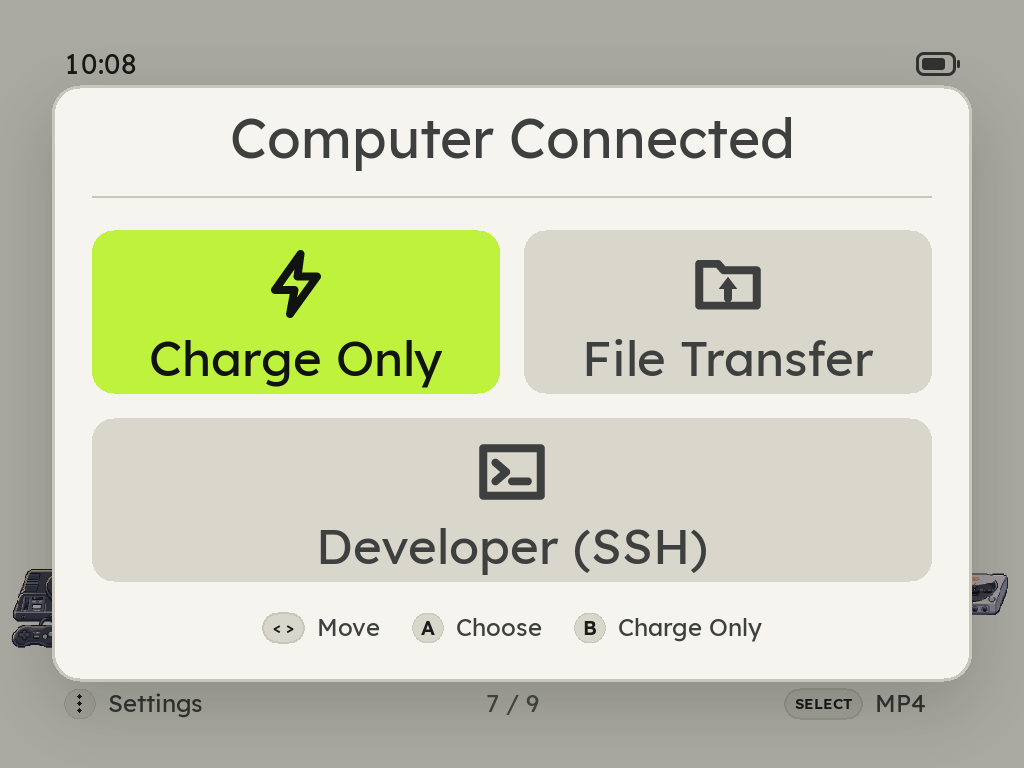
  • USB asks first. Choose charging or File Transfer when a computer connects. Developer Mode also enables SSH.
  • One more player. A friend joins an NES game from a phone browser, or a computer over USB. No app or account.
  • Updates with a way back. Signed System Update downloads only changes and offers Roll Back. USB File Transfer can update without Wi-Fi.
Take the soundtrack with you.Music, books, films and audio that fits.

The little player already in your pocket.

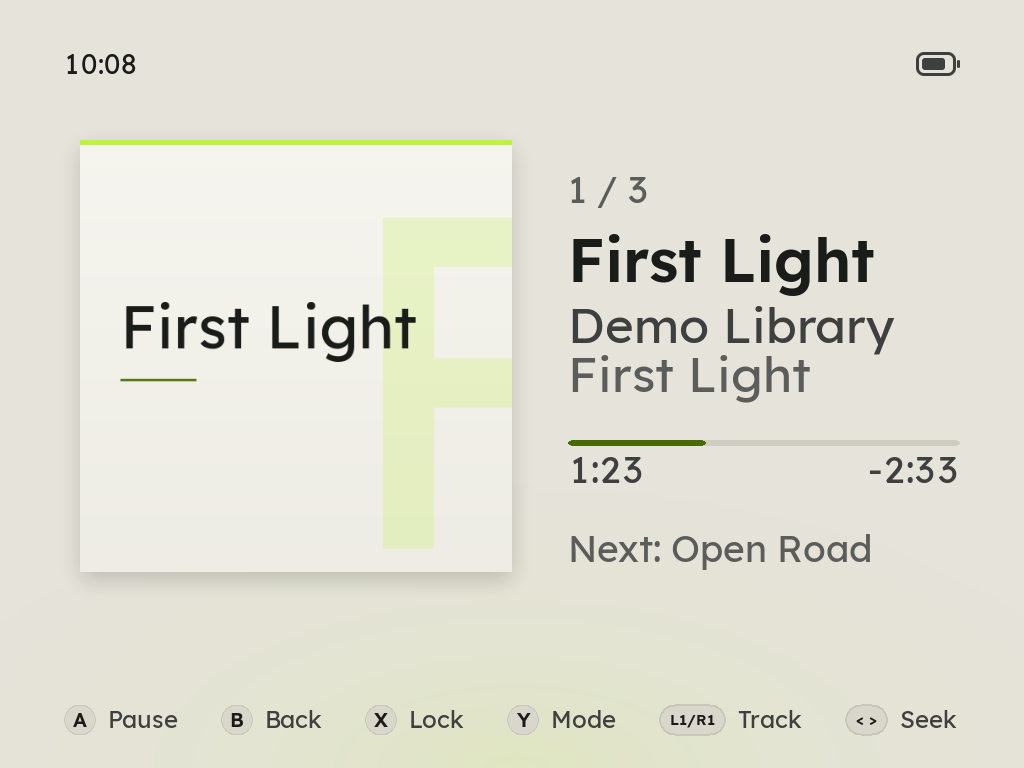
  • Albums, books and films. MP4 keeps them on a cover shelf. Shuffle All mixes your songs; books and videos remember your place.
  • Keep listening. SELECT opens MP4 from the menus. Music continues when you close it, and mutes game audio while it plays.
  • Ready for a pocket. Lock playback with X or SELECT + START. Volume still works. Hold SELECT + START for two seconds to unlock.
  • Music behind the menus. Ten included 8-bit tracks, or your own MP3 and Ogg files. L2 and R2 skip tracks on the shelf.
  • Choose how you hear. Pixel 2 supports wired and USB-C headphones. Auto uses mono on its speaker and stereo on headphones.
  • Listen your way. Choose mono in both ears, or just one. Bluetooth headphones and their playback buttons work on Brick, not Pixel 2.
Make room for the next one.Storage, cleanup and smaller save states.

Know what fills the card before you clear it.

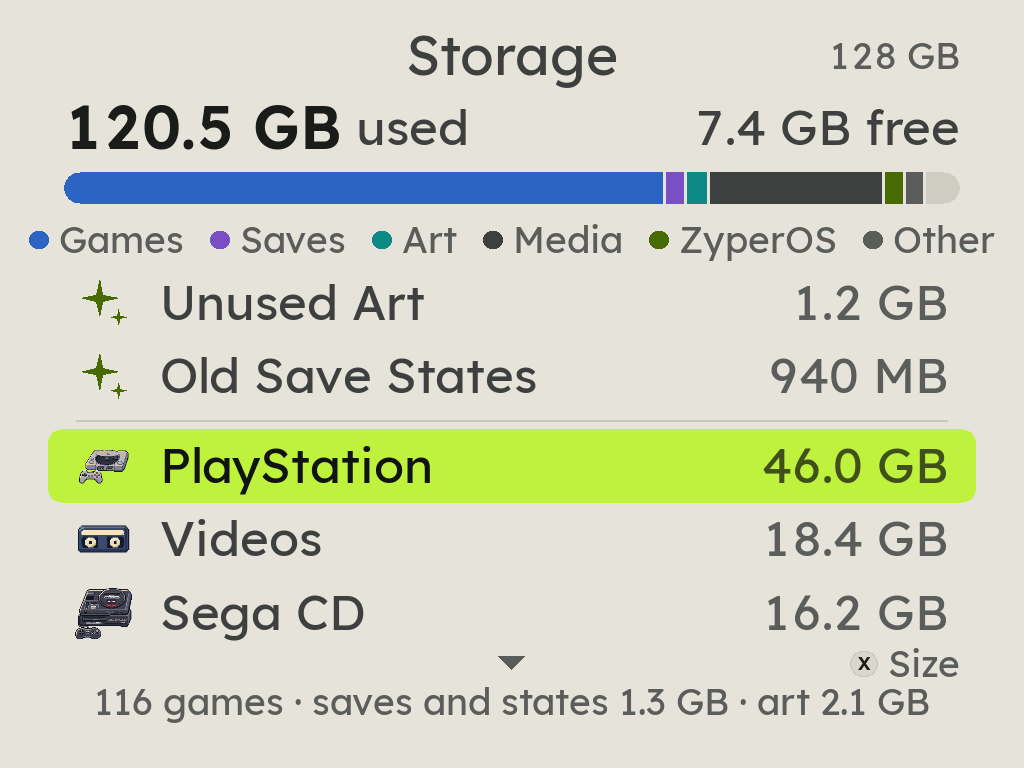
  • The whole card, at a glance. A storage bar separates games, saves, art, media and ZyperOS. Sizes load in the background.
  • Find the large files. Browse systems, nested folders, games, albums, books and films. Sort by size, name or last played.
  • Clear what you choose. Delete unwanted games or media on the handheld. Storage shows the space each game would free.
  • A useful cleanup. Remove artwork for absent games and states unused for a year. The cleanup keeps battery saves.
  • Smaller checkpoints. Compressed save states use less card space. Quick saves run their compression away from the game’s frame loop.
The quiet details count.Battery care, side lights and sensible power use.

Small things that help every day.

  • A kinder charge. Set an 80, 85 or 90% limit. The charging screen shows charge, power and time remaining while the handheld is off.
  • Low battery and heat. A low battery prompts charging before startup. Zyper warns about heat, and supported games save before low-battery shutdown.
  • Lights with a purpose. Pixel 2 side lights show charging, low battery, volume, brightness, transfers and achievements. Choose which effects run.
  • Power where it helps. Light systems use lower clocks. A late frame restores full clocks for the session.
  • Long jobs can finish. Auto Off waits for scraping, updates, PortMaster installation, storage scans and file transfers. Charging dims or turns off the screen.
  • No turning off by accident. Set the power button to Hold, and only a two-second hold turns the handheld off, with a bar that fills while you hold.
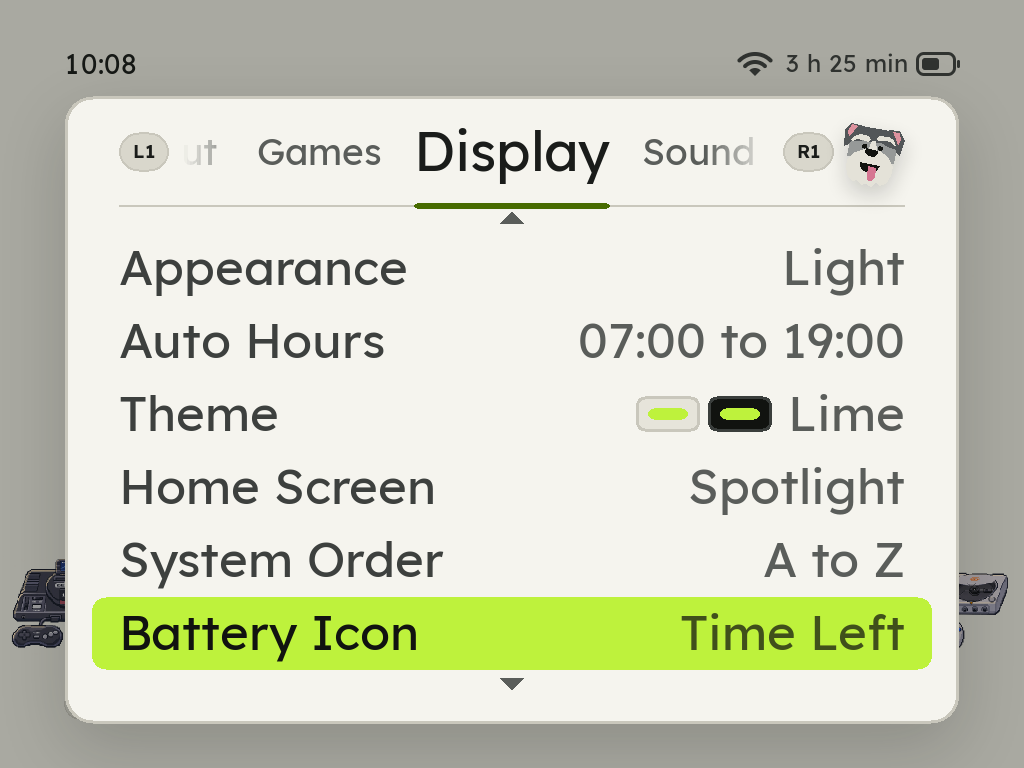
  • Useful at a glance. Choose a 12-hour or 24-hour clock. Show battery bars, percentage or time left, including time to the charge limit.

Native launcher captures use demonstration data. Screens show ZyperOS 1.0.5; check the latest release. Games are not included.

Your next power-on starts here.

New life.
Same little console.

Get ZyperOS

Installer for macOS, Windows, and Linux.

  1. 1

    Download the installer.

    Choose the file for your computer.

  2. 2

    Prepare your microSD card.

    Choose GKD Pixel 2 and Fresh install. Back up your card first: this step erases it.

  3. 3

    Power on. Make it yours.

    Insert the card. ZyperOS will guide you through the first start.

Read the installation guide

For GKD Pixel 2. Bring your own games.

A few useful things.

Coming from another OS?

ZyperOS reads EmulationStation folders, covers, favorites, and video snaps. Back up your card before installation.

How to add your games
How does ZyperOS compare?

Compare features, supported systems, and measured boot times with stock firmware, ROGUE OS, TortOS, ROCKNIX, and plumOS.

Read the detailed comparison
Do I need a Wi-Fi adapter?

The Pixel 2 has no built-in Wi-Fi. Use a USB Wi-Fi adapter, or an Android phone with USB tethering. File Transfer also works over a USB cable from your computer.

What about updates?

Use System Update over Wi-Fi or bring the update through USB File Transfer. The installer can also update your card and keep your games and saves.

Built on good work.
  • Eric Reinsmidt, for TortOS, its installer, plastron and Diatom, where ZyperOS's launcher, installer, Linux and emulator started.
  • ROCKNIX, for the RK3326 kernel patches and the Pixel 2 device tree.
  • PortMaster, for the ports and the runtimes they run on.
  • plorpOS by Thwonp, for the DSperate wrapper and the FAKE-08 patches.
  • ROGUE OS by Ninoh-FOX, for the Nintendo 64 and Dreamcast cores and settings I followed.
  • The libretro core authors, whose emulators do the real work.
  • OpenBOR, by Senile Team and the OpenBOR Team, for the OpenBOR shelf.
  • PPSSPP, for the PSP shelf, and tyrannotorus, for Deadstation Portable, whose ARM64 speedups the PSP runs with.
  • PrBoom, Gearcoleco and TIC-80, for the Doom, ColecoVision and TIC-80 shelves.
  • zadpos, for Sharp-Shimmerless and its scanlines and grid, and Timothy Lottes, for his CRT shader, which the Shader row draws with.
  • Ten OpenGameArt composers, for the free menu music, under CC0.
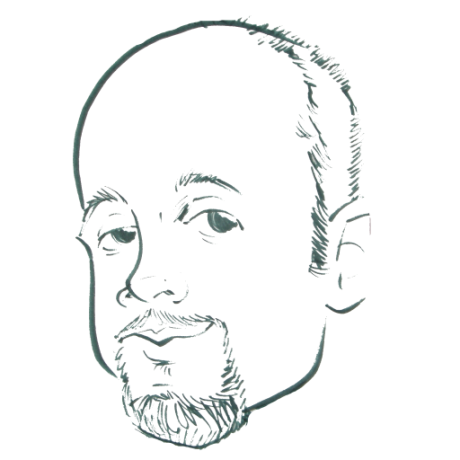
Illustrated portrait of Eric Reinsmidt
Eric Reinsmidt

Thanks, Eric.

I forked TortOS to build ZyperOS. Eric Reinsmidt's work gave me the starting point for the launcher, installer, Linux system, and emulator frontend.

Read my thank-you to Eric
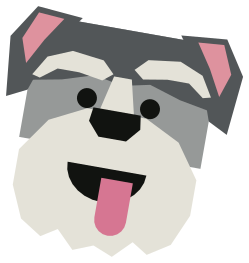
Zyper, the miniature schnauzer behind the name.

A small OS with a lot of heart.

Named after Zyper, my dog. Quick, light on his feet, and always ready to go.

Made in his memory. Free for everyone.

Support ZyperOS